
NewsBreak Lite
Particle Media Inc.News & Magazines
4.7408.00 Reviews
- Version
- 26.33.0
- Installs
- 100.00K
- Age Rating
- Everyone 10+
Screenshots
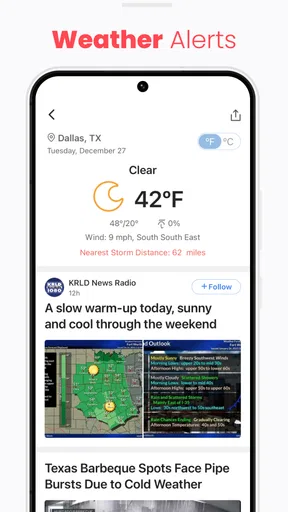
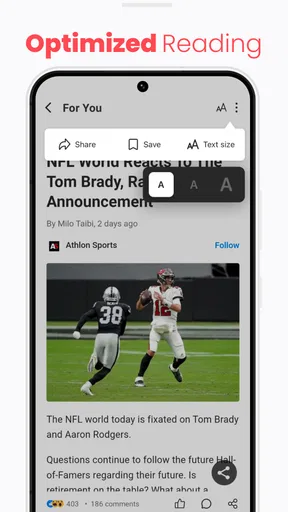
Our Review of NewsBreak Lite
 Analysis by Appyee
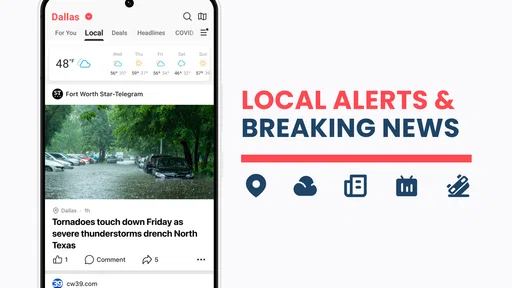
NewsBreak Lite is the kind of news app I would try when I want nearby headlines without committing to a full newspaper subscription or a heavy all-purpose news platform. I found it most useful as a quick local-news check: open it, scan what is happening around me, and decide which stories deserve a closer look elsewhere. That focus gives it a clear identity, but it also means the experience depends heavily on how well its local coverage matches your area and how comfortable you are with a feed built around alerts and personalization.
Developed by Particle Media Inc., this free news and magazines app is aimed at people who want local updates in a lightweight format. It is rated for Everyone 10+, runs on Android 8.0 or later, and currently appears as version 26.33.0. The app has reached over one hundred thousand installs and holds a 4.7 average from around three and a half thousand ratings, with several hundred written reviews. Those figures suggest a generally positive reception, although I would still judge it by the way it handles my attention and my information rather than by its score alone.
What using NewsBreak Lite feels like in everyday life
My first impression is that the app makes sense as a “news in between” tool. It is not necessarily where I would spend a long evening reading deeply reported articles. Instead, I see it fitting into small moments: checking the phone before leaving home, scanning updates during a lunch break, or looking for a quick explanation of why traffic, weather, or a local event is suddenly being discussed.
That local emphasis is important. National news apps usually give me a broad picture, while a newspaper app may give me strong reporting from one publication. NewsBreak Lite sits between those habits by trying to reconnect the daily news routine with the neighborhood around me. That can be valuable when I care about nearby developments that would otherwise disappear beneath national headlines.
I would not treat the app as my only source for serious news. A local feed is useful for discovery, but when a story affects my finances, safety, health, or legal decisions, I would open the original publisher or consult a trusted specialist source. The practical role here is to help me notice what matters locally, not to replace careful verification.
Why the lighter approach can be useful
The “Lite” identity appeals to me because many news applications try to do too much at once. They combine video, opinion, breaking alerts, newsletters, subscriptions, comments, and extensive personalization. A simpler local-news routine can be easier to maintain. If I only have a minute, I want a feed that helps me decide what deserves attention instead of making me navigate a large media ecosystem.
There is also a useful psychological difference between opening a local feed and opening a general news app. The former gives me a reason to look: what changed near me? That question is more concrete than endlessly scrolling through headlines from everywhere. Still, the convenience can become a weakness if alerts turn a quick check into repeated interruptions throughout the day.
Trust starts with what the app visibly lets me control
When I review a news app, I do not consider a high rating proof that it is trustworthy. I look for the choices presented to me: whether I can decide how often I am interrupted, whether I can avoid creating an account immediately, and whether the app makes its paid options clear. With NewsBreak Lite, those are the areas I would inspect during setup and regular use rather than tapping through them automatically.
The app is free to download, but it includes in-app purchases ranging from one dollar to nearly sixty dollars per item. That does not automatically make the experience unsuitable, yet it makes careful reading worthwhile whenever a payment screen appears. I would check exactly what an offer provides, whether it is optional, and whether the wording clearly distinguishes ordinary reading from a paid feature.
My main trust test is simple: I want every meaningful choice to be understandable before I make it. A news reader should not make me guess whether an alert is essential, whether personalization is optional, or whether a payment is connected to something I intended to use. If the screen is clear, I can make an informed decision. If it feels rushed, I would pause rather than accept the default.
Permissions and data-sensitive moments deserve attention
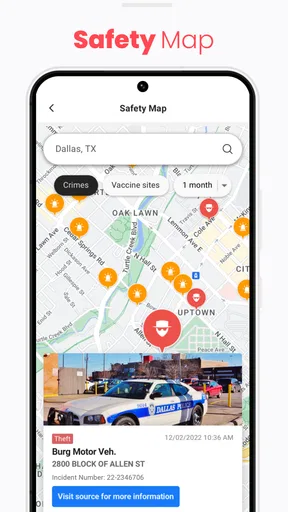
Local news naturally creates moments where location or personalization may matter. If the app asks to use location, I would consider whether automatic local discovery is worth granting that access. Someone who moves between neighborhoods, travels often, or prefers to choose a city manually may want a different arrangement from someone who wants the most immediate nearby feed.
I would also pay attention to notification permission. Alerts can be genuinely helpful for urgent local developments, but they can also become the most intrusive part of a news app. My preferred workflow would be to begin with a conservative setting, observe the quality and frequency of alerts, and then adjust. Giving an app permission simply because it requests it at launch is rarely the best approach.
Account creation is another point where I would slow down. If I can browse without an account, I would first evaluate the feed before registering. If an account becomes useful for synchronization or personalization, I would decide whether those benefits justify providing the requested details. The important distinction is between a choice I make for a clear benefit and a choice I make because the interface pushes me forward.
I cannot judge a data practice merely from the presence of a local-news feature. Location-based convenience may require some form of personalization, but the exact value depends on the controls shown in the app and the explanations available at the moment of permission. My advice is practical: read the permission prompt, choose the narrowest option that meets your needs, and revisit the phone’s settings if the app no longer fits your routine.
How I would build a calmer reading routine
I would not begin by enabling every alert. First, I would open the app at a time when I can compare the local stories with what I already know about my area. Are the headlines relevant? Do they point me toward useful reporting? Is the mix too repetitive or too broad? This short trial tells me more than a quick glance at the store summary.
Next, I would separate discovery from verification. I might use the feed to notice a road closure, community announcement, or local event, then open the underlying coverage before acting on it. This is especially important for fast-moving stories, where early headlines can be incomplete. The app is more valuable when I use it as a signal rather than treating every notification as a final account.
A third useful habit is to review alerts after a few days instead of tolerating them indefinitely. If I find myself dismissing most notifications, the app is no longer helping me. Reducing interruptions does not defeat the purpose of local news; it makes the remaining alerts easier to notice. In my experience, a smaller number of relevant prompts is better than a constant stream that trains me to ignore everything.
Where it differs from newspaper and general news apps
Compared with a newspaper app, NewsBreak Lite may feel less tied to one editorial voice. That can help me discover a wider range of local topics, but it can also make the reading experience feel less consistent. A newspaper application is often the better choice when I already trust a publication, want its full articles in one place, or care about a clear subscription relationship.
Compared with a national news app, this app has a more immediate sense of place. I would choose it when local relevance matters more than international breadth. The trade-off is that someone who mainly follows world affairs, business markets, science, or national politics may find the local emphasis too narrow. In that case, a broader publication or a dedicated topic reader would be a better primary tool.
Compared with social media, a local-news app can be a more focused starting point than an endless stream of posts. However, I would still avoid assuming that a headline is complete simply because it appears in a news feed. Social platforms are often faster for eyewitness discussion, while a news app is more convenient for organized headline discovery. Neither should be my only method for confirming an important claim.
Real situations where I would recommend it
Imagine I am preparing for a commute and hear that something unusual is happening nearby. I could use NewsBreak Lite to scan local headlines before leaving, then confirm the practical details through an official transport, emergency, or municipal source. The app saves time at the discovery stage, while the official source remains the place I would trust for instructions.
Another good use is settling into a new area. During the first weeks in a different neighborhood, I might use the local feed to learn which issues residents are discussing, what events are coming up, and which topics deserve further research. I would keep expectations realistic: a feed can introduce me to the community’s news rhythm, but it cannot replace firsthand local knowledge or official notices.
It could also suit a family member who wants nearby headlines without a complicated reading setup. The Everyone 10+ rating makes the app broadly accessible, but I would still help a less technical user review notifications and payment prompts. “Easy to open” is not the same as “safe to leave unattended,” especially when an app includes optional purchases and personalized content.
Who should think twice before installing
I would hesitate to recommend it to someone who dislikes personalized feeds altogether. If I want a fixed list of articles from one publication, a traditional newspaper app may feel more predictable. I would also hesitate if I need detailed investigative reporting, academic coverage, or a carefully curated international briefing every morning. The local-first approach is not designed to satisfy every information need.
People who are highly sensitive to interruptions should begin cautiously. The central promise of local alerts can become a source of friction if the phone is already busy with messages, work notifications, and other reminders. I would rather test the app with minimal notifications than uninstall it after an overwhelming first day.
I would also skip making it my sole authority for urgent or consequential information. That is not a criticism unique to this app; it is a sensible boundary for any headline aggregator. For emergencies, public instructions and official services should take priority. For complex stories, I want the full article, the original publisher, and enough context to understand what is known and what remains uncertain.
Version, cost, and the practical decision
The current version is 26.33.0, and the app supports Android 8.0 and newer. That makes it relevant for people who keep an older Android phone rather than upgrading frequently. I would still check how it behaves on my particular device, especially if storage, battery use, or background notifications are a concern. A version number alone cannot tell me whether the experience feels light in daily use.
There is no purchase required to begin because the app is free, but the in-app purchase range means I would treat any upgrade or offer as a separate decision. I would not enter payment details just to explore the basic feed. First I would decide whether the local coverage is useful, whether the alerts are manageable, and whether the controls match my preferences.
My overall view is positive but measured. NewsBreak Lite has a clear everyday purpose: helping me notice local headlines quickly. Its strongest value appears when I use it as a convenient neighborhood-news radar, keep alerts under control, and verify important information through the original or official source. Its weakest point is the possibility that convenience, personalization, and notifications may demand more attention than I intended to give.
I would recommend NewsBreak Lite to a reader who wants a free, local-focused way to discover what is happening nearby and is willing to review permissions, alerts, account choices, and purchase screens carefully. I would not recommend relying on it alone for serious decisions, nor would I choose it over a trusted newspaper app when consistent editorial depth matters more than broad local discovery.
In the end, I see it as a useful first stop rather than a complete news home. Start with limited access, inspect the choices presented during setup, test the feed for relevance, and adjust notifications after real use. If it helps you spot meaningful local stories without taking over your day, it earns a place on the phone. If it mainly produces interruptions or leaves you wanting deeper, more consistent reporting, a dedicated publisher or broader news service will be the better fit.
Verdict
Strengths of NewsBreak Lite
- Loads quickly and uses less storage than the full NewsBreak app.
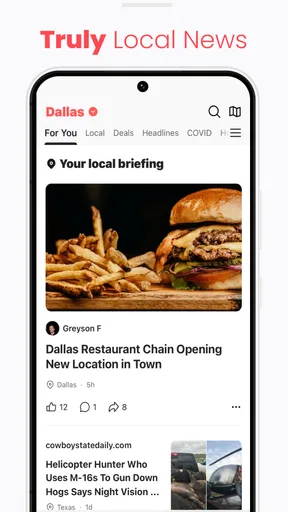
- Personalized local news helps surface stories from nearby communities.
- Simple layout makes headlines easy to scan on smaller screens.
- Supports breaking-news alerts for timely updates on important events.
- Can be useful on older phones or slower mobile connections.
Limitations of NewsBreak Lite
- Ad-heavy sections may make the reading experience feel cluttered.
- News quality and accuracy can vary between publishers and topics.
- Personalization may create a narrow view of the news over time.
- Some features and content may depend on your location.
- Notifications can become frequent unless you adjust them manually.
Other Releases by Particle Media Inc.
View All
NewsBreak: Local News & Alerts
News & Magazines4.6
Similar Picks in This Category
View All
Google News - Daily Headlines
Google LLC4.0

X
X Corp.4.8

Flipboard:Your Social Magazine
Flipboard3.4

Opera News: breaking & local
Opera4.5

Hindi News by Dainik Bhaskar
Dainik Bhaskar Group4.0

Way2News Daily News App
Way2News ( Formerly Way2SMS )4.6
Frequently Asked Questions
What is NewsBreak Lite, and what can I use it for?
NewsBreak Lite is a lightweight news application designed to deliver local, national, and international headlines in a simpler package than the standard NewsBreak app. After opening it, you can browse a personalized feed, explore news categories, and look for stories based on your location or interests. It is intended for users who want news access while using less storage, data, or device resources.
Does NewsBreak Lite provide local news based on my location?
Yes, local coverage is one of the main purposes of NewsBreak Lite. During setup, the app may request location permission or ask you to select a city or region manually. This information helps organize nearby headlines, weather updates, alerts, and community stories. If you prefer not to share your precise location, you can usually deny permission and choose a location yourself, although personalization may be less accurate.
Is NewsBreak Lite free to download and use?
NewsBreak Lite is generally available as a free download, allowing users to read news without paying an installation fee. However, the app may be supported by advertising, and some content or features can depend on publisher restrictions, regional availability, or account settings. Before downloading, check the current Google Play Store or Apple App Store listing for subscriptions, in-app purchases, and the latest terms.
Does NewsBreak Lite work without an internet connection?
NewsBreak Lite primarily requires an internet connection because articles, headlines, images, and breaking-news updates are retrieved from online sources. You may be able to reopen recently loaded content for a short time, but it should not be treated as a complete offline reader. For reliable access, use Wi-Fi or a stable mobile connection, especially when loading video, images, live updates, or a large number of stories.
What privacy permissions and personal information does NewsBreak Lite use?
NewsBreak Lite may request permissions such as location access, notifications, and network access to provide local news, breaking alerts, and personalized recommendations. Depending on how you use the app, it may also process information about reading activity, device details, and selected interests. Review the permission prompts and the developer’s current privacy policy before accepting them, and disable optional permissions if you prefer a more private experience.
